Snippet Keeper icon

Every command you keep looking up, one keystroke away.

Snippet Keeper is a Mac app for the commands, queries and shortcuts you use in git, kubectl, docker, psql and everything else. Press ⌘⇧Space, type a few letters, hit Return, and it’s on your clipboard.

Requires macOS 12 or later.

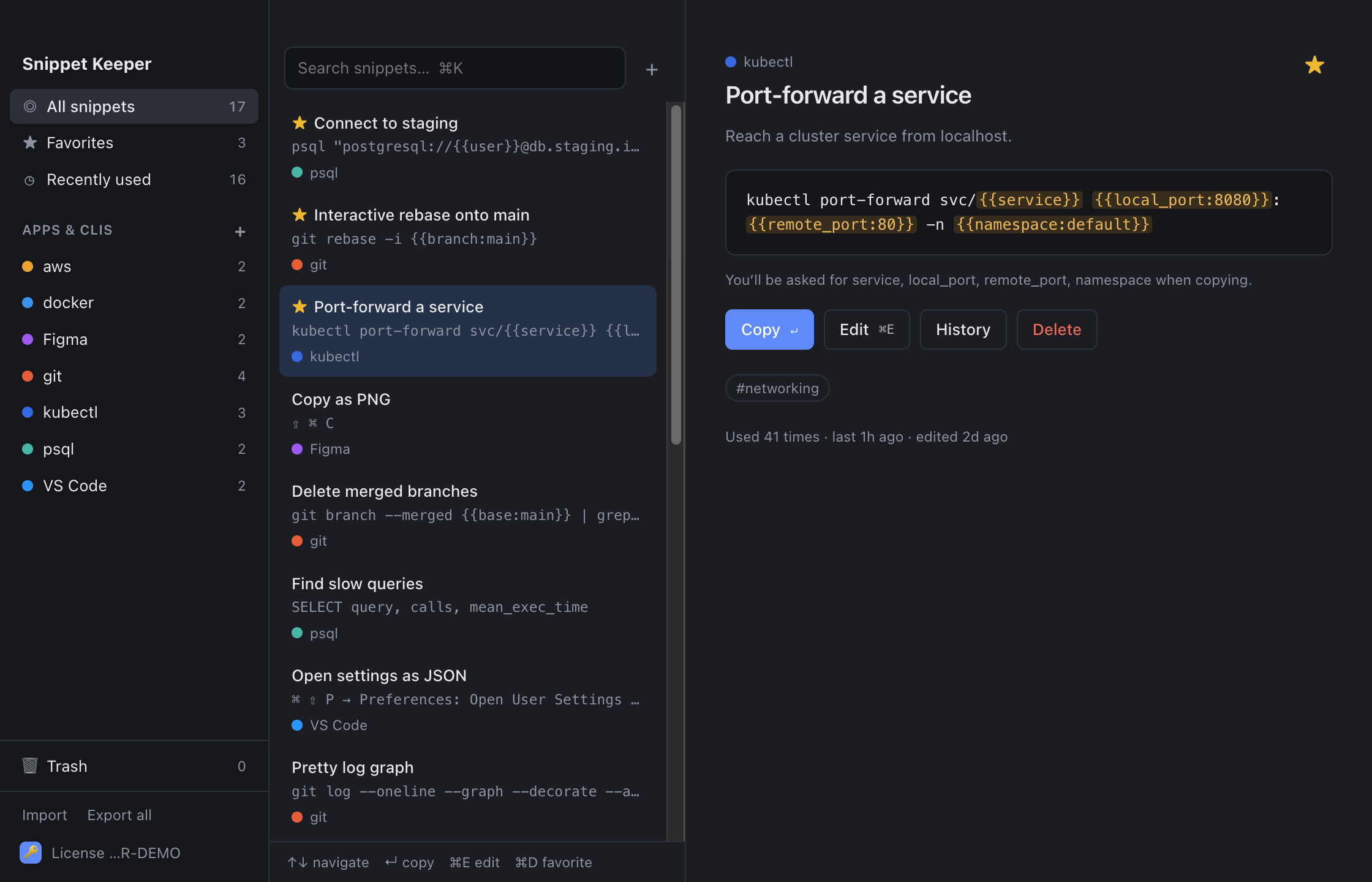
Snippet Keeper showing snippets grouped by app, with a kubectl port-forward command selected

Fill in the blanks

Save a command once. Reuse it everywhere.

Write {{service}} or {{namespace:default}} wherever a command changes. When you copy it, Snippet Keeper asks for the values, fills in the defaults and shows you the finished command, ready to paste.
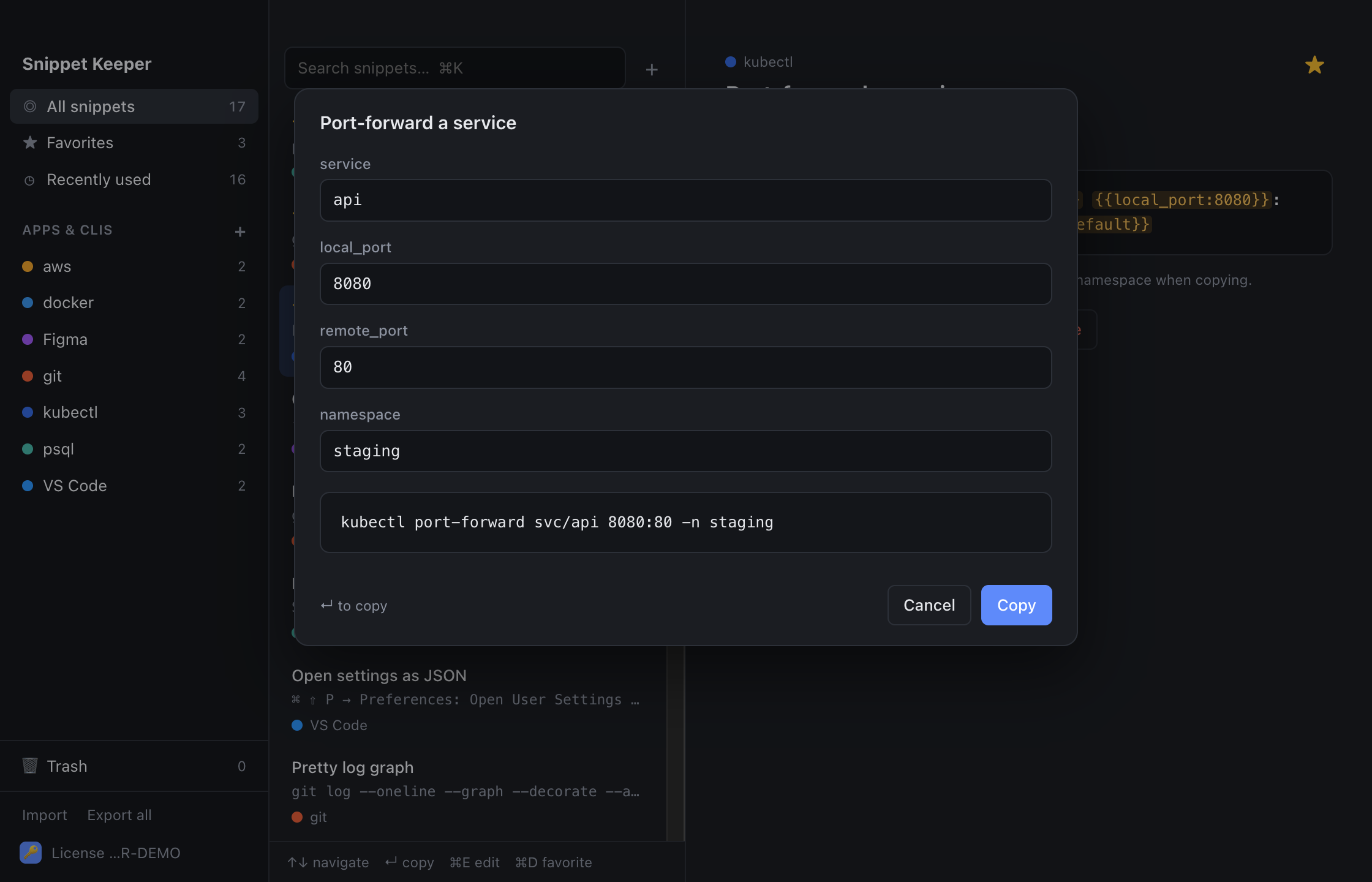
A fill-in form for a kubectl command with a live preview of the result

Organized by app

A place for every tool you use.

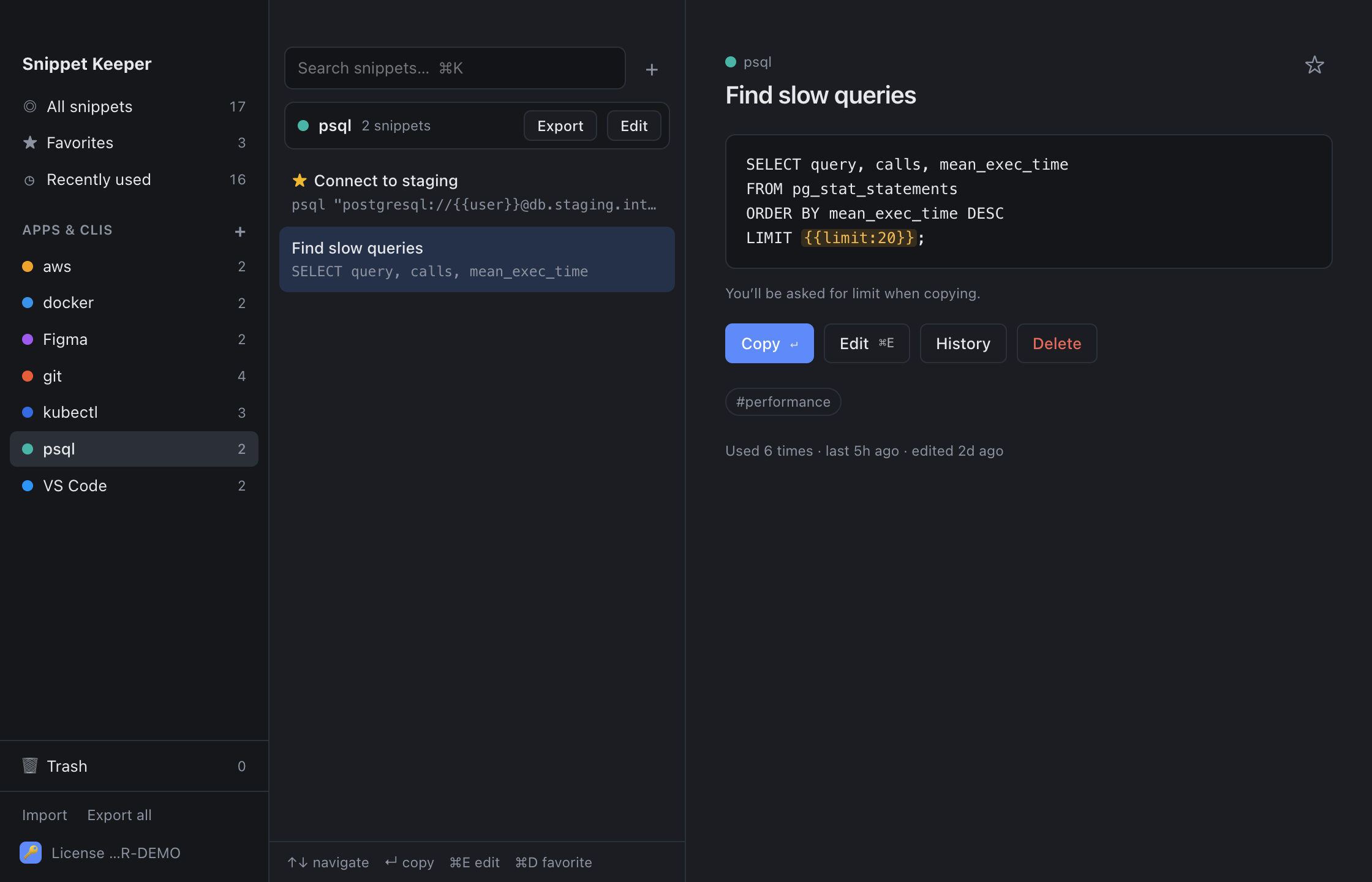
Group snippets by the app or CLI they belong to: git, aws, psql, VS Code shortcuts, Figma shortcuts. Add tags and notes, star favorites, drag snippets between apps, and export any app to share it or back it up.

The psql app in Snippet Keeper with a slow-query SQL snippet

Find it in a keystroke

Search that knows what you meant.

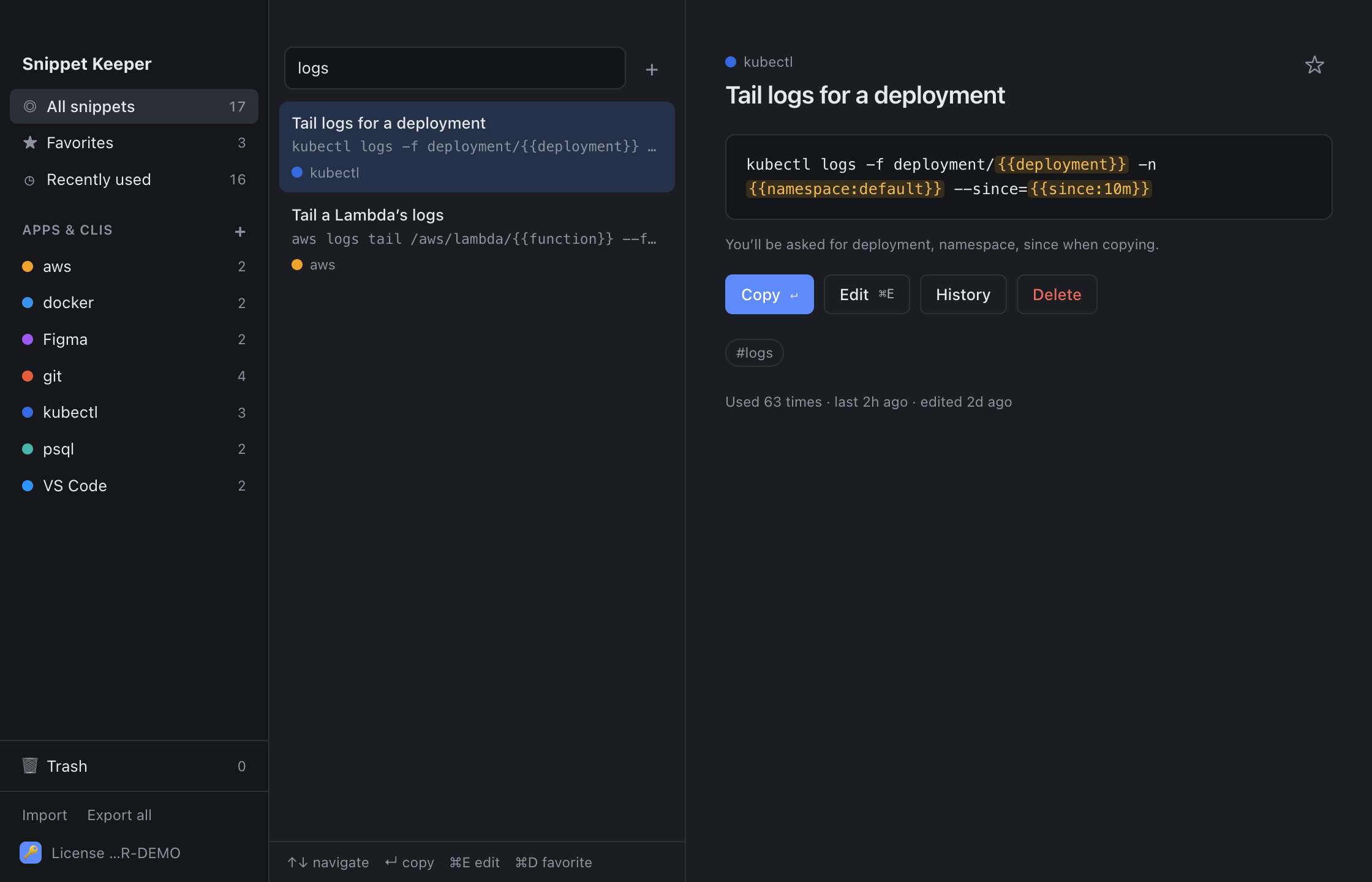
Search titles, tags, notes, commands and app names at once, so “tail logs” or just “logs” finds the right thing. Arrow keys to choose, Return to copy, and the window gets out of your way so you can paste.

Searching for “logs” across kubectl and aws snippets

Small app, lots of thoughtful details

Global quick palette

⌘⇧Space from any app opens search; copying hides it again.

Keyboard first

New, edit, favorite, delete and search without touching the mouse.

Trash with Undo

Deleted snippets wait 30 days in the Trash, just in case.

Version history

Every edit is kept (the last 50 versions) and any of them can be restored.

Favorites & recents

The snippets you actually use, one click away.

Import & export

Plain JSON files: back up everything, or share a single app with a teammate.

Teams Subscription

Share snippets in organizations with owners, admins, members and email invites.

Restricted apps Subscription

Keep the “prod” app visible only to the people who need it.

Sync & offline Subscription

Changes sync live across your Macs and your team, and queue up when you’re offline.

Pick how you want to use it

Buy it once for your Macs, or subscribe for sync and sharing. Subscriptions start with a 14-day free trial.

License

Price coming soon one-time

  • No account, no sign-in
  • Use it on up to 3 Macs
  • Includes 1 year of updates
  • Keep using your version forever
  • Snippets stay on your Mac (move them with export and import)

Another year of updates: price coming soon, whenever you want them.

Buy a license

Single-user

Price coming soon per month

or yearly pricing coming soon per year (about 2 months free)

  • The quick palette, placeholders, trash and history
  • Sync across all your Macs
  • Live updates and offline editing
  • Always the latest version
Start 14-day free trial

Questions

Do I need an account?

Only for the subscription. With a license you just enter your key once on each Mac: no sign-in, and your snippets never leave your computer.

How many Macs can I use a license on?

Up to 3 at a time. To move it to a new Mac, choose License → Deactivate this Mac on the old one to free up a spot.

How do I move my snippets to another Mac?

With a license, use Export everything on the old Mac and Import on the new one; duplicates are skipped automatically. With a subscription, they’re synced for you.

What happens when my license’s year of updates ends?

Nothing stops working. You keep the version you have (and any version released during your year) for as long as you like. When you want newer versions, buy another year of updates from the License screen in the app; renewing early adds the year on to what you have left.

How do Company seats work?

The Company plan includes 10 seats. Need more? Owners and admins add seats 10 at a time from Manage → Plan, billed for the rest of the current period. Every seat also covers that person’s private, synced Personal space.

What happens when a trial ends?

Your snippets turn read-only: you can still browse, search, copy and export everything, and nothing is deleted. Subscribe any time to pick up where you left off.

Does it work offline?

Yes. A license only needs the internet to activate, plus a quick check about once a day; it keeps working for 30 days without one. With a subscription, edits made offline are saved and synced when you’re back online.

Where are my snippets stored?

With a license, in a file on your Mac. With a subscription, on our servers, so they can sync. Access is limited to you and the people in your organizations, and restricted apps narrow that further.

Can I bring my existing snippets?

Yes: import a JSON file. Each app can also be exported on its own, which makes it easy to share a set of snippets with a teammate.

What do I need to run it?

A Mac running macOS 12 Monterey or later.

Stop retyping the same commands.

Download Snippet Keeper