kubectl cheat sheet
The kubectl commands you reach for when something’s wrong: what’s running, why it crashed, getting a shell or a port into it, and rolling it back.
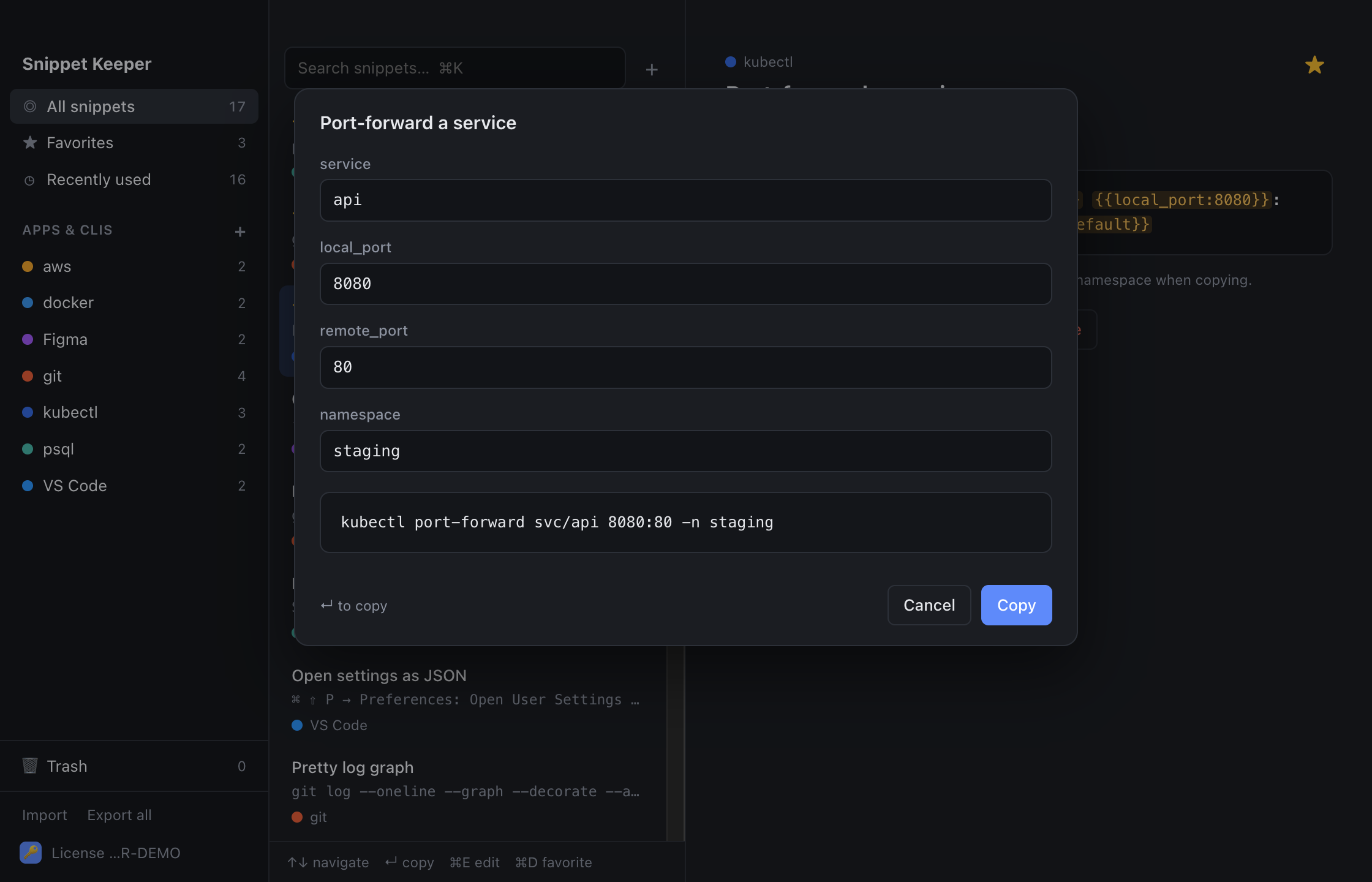
In Snippet Keeper, click Import at the bottom of the sidebar and choose the file. They land in your kubectl app, and ones you already have are skipped. The highlighted parts become fill-in fields: type a value (or pick one), and the finished command is on your clipboard.
Contexts and namespaces
kubectl config current-contextkubectl config get-contextskubectl config use-context contextkubectl config set-context --current --namespace=namespaceLooking around
kubectl get pods -n namespace -o widekubectl get pods -Akubectl get pods -n namespace -wkubectl get pods -n namespace -l labelkubectl describe kind name -n namespacekubectl get kind name -n namespace -o yamlkubectl get events -n namespace --sort-by=.lastTimestampkubectl explain fieldLogs and debugging
kubectl logs -f deployment/deployment -n namespace --since=sincekubectl logs pod -n namespace --previouskubectl logs pod -c container -n namespacekubectl exec -it pod -n namespace -- shellkubectl port-forward svc/service local_port:remote_port -n namespacekubectl run debug --rm -it --image=image --restart=Never -n namespace -- shkubectl top pods -n namespace --sort-by=bykubectl cp namespace/pod:path destDeployments
kubectl diff -f filekubectl apply -f filekubectl scale deployment/deployment --replicas=replicas -n namespacekubectl rollout restart deployment/deployment -n namespacekubectl rollout status deployment/deployment -n namespacekubectl rollout undo deployment/deployment -n namespacekubectl set image deployment/deployment container=image -n namespacekubectl delete kind name -n namespaceConfig and secrets
kubectl create secret generic name --from-literal=key=value -n namespacekubectl get secret name -n namespace -o jsonpath='{.data.key}' | base64 --decodekubectl create configmap name --from-file=file -n namespaceNodes
kubectl get nodes -o widekubectl drain node --ignore-daemonsets --delete-emptydir-datakubectl uncordon nodeKeep these one keystroke away.
Snippet Keeper is a Mac app for the commands you keep looking up. Press ⌥⇧Space in any app, type a few letters, fill in the blanks, and it’s on your clipboard.